Introduction to HTML for Beginners

HTML is the foundation of every website on the internet. If you want to become a web developer, learning HTML is the first and most important step. HTML allows developers to structure content and display text, images, links, and other elements on a web page.
In this beginner-friendly tutorial, you will learn what HTML is, why it is important, and how to create your first HTML document step by step.
HTML stands for HyperText Markup Language. It is the standard language used to create and structure web pages.
Unlike programming languages, HTML does not contain logic or algorithms. Instead, it uses tags to define different types of content such as headings, paragraphs, images, and links.
Every website you visit on the internet uses HTML in some form. Browsers read HTML files and display the content as a structured web page.
HTML is the starting point for anyone interested in web development. Before learning advanced technologies such as CSS, JavaScript, or modern frameworks, it is important to understand how HTML structures a web page.
Even professional developers still rely on HTML every day when building modern web applications.
HTML is perfect for beginners who want to enter the world of web development. You do not need any prior programming experience to start learning HTML.
Every HTML page follows a basic structure. Below is a simple example of a minimal HTML document.
<!DOCTYPE html>
<html>

<head>
<title>My First Web Page</title>
</head>

<body>

<h1>Hello World</h1>
<p>This is my first HTML page.</p>

</body>

</html>
The <!DOCTYPE html> declaration tells the browser that the document uses HTML5. This ensures that the page is rendered correctly in modern web browsers.
The <html> tag is the root element of an HTML document. All other HTML elements must be placed inside this tag.
The <head> section contains metadata about the page such as the page title, character encoding, and links to external resources like CSS files.
The <body> section contains the visible content displayed on the page, including headings, paragraphs, images, links, and other elements.
Here are some commonly used HTML tags that beginners should understand when learning HTML.
<h1>Main Title</h1>
<h2>Subtitle</h2>
<h3>Section Title</h3>
Headings help organize content and improve the readability of a web page.
<p>This is a paragraph.</p>
Paragraph tags are used to display blocks of text on a web page.
<a href="https://example.com">Visit Example</a>
Links allow users to navigate between different pages and websites.
<img src="image.jpg" alt="Example Image">
Images make web pages more visually appealing and engaging.
The best way to learn HTML is through practice. Try creating your own simple web page using the example below.
<!DOCTYPE html>
<html>

<head>
<title>Practice Page</title>
</head>

<body>

<h1>Welcome to My Website</h1>
<p>I am learning HTML!</p>

</body>

</html>
Save the file with the extension .html and open it in your browser to see the result.
HTML is the first step toward becoming a web developer. Once you understand HTML basics, you can move on to learning CSS for styling and JavaScript for adding interactivity to your web pages.
Practice regularly and try building simple web pages. The more you experiment with HTML, the more comfortable you will become with web development.
In the next tutorial, we will explore more HTML elements and learn how to build more structured web pages.
 Mar 06, 2026
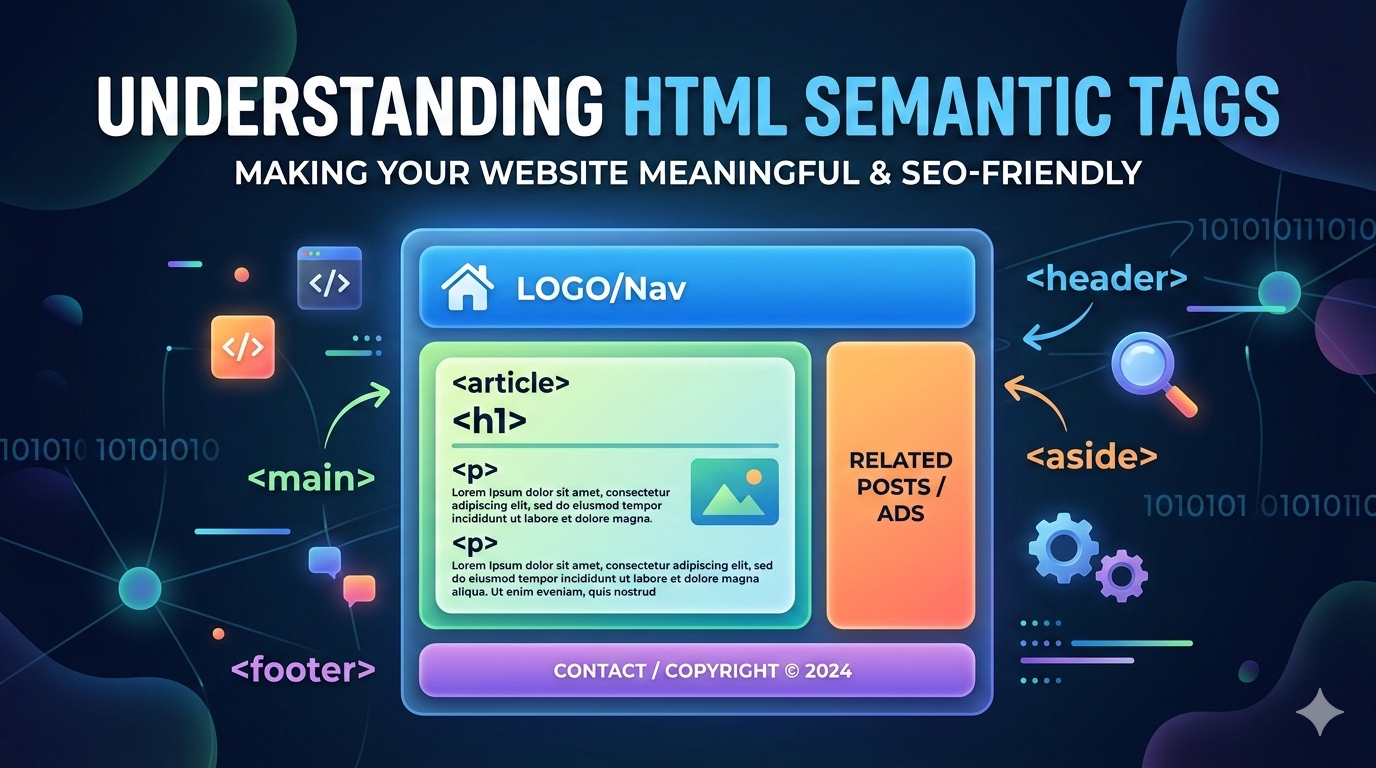
Learn what HTML semantic tags are and why they are important for modern web deve...
Leave a Comment